kojo
Kojo
Kojo programming - Introduction to text programming
Objectives of the lesson: Get to know kojo - to program text
Preparations:
download kojo on the computers
Material
- Computers with internet connection
- Worksheets with different sequences (see appendix)
Copying
- copy worksheets / commands in kojo / assignment booklet
Lesson overview
5 min Introduction (Meeting place)
- Greet everyone.
- Tell us what will happen during today's lesson.
10 min Introduction to the programming environment kojo
- My first program
20 min Different exercises around sequence and repetition in kojo
10 min Exercises in the hut where we learn new commands and have fun with kojo
10 min Movie: jam sandwich
5 min Rounding (Meeting place)
- The students leave to collect impressions from the students: what did you think of kojo
- Hi then until next week.
Teaching
1) information for the teacher:
If you choose the web version of kojo (http://kojo.lu.se/ or: http://ikojo.in/) all commands in the following lesson will work except the backward() command.
The web version is a simple version of the much stronger desktop version.
For the special chess commands in kojo which we introduce in the next programming lesson you need the desktop version of kojo.
download a desktop version here: https://www.kogics.net/kojo-download
and a short film for some guidance:
film 1 : Installing kojo
film 2: In the second film we show you how to start using the kojo desktop version
2) Brief review by the teacher about kojo.
Distribute computers
Projector
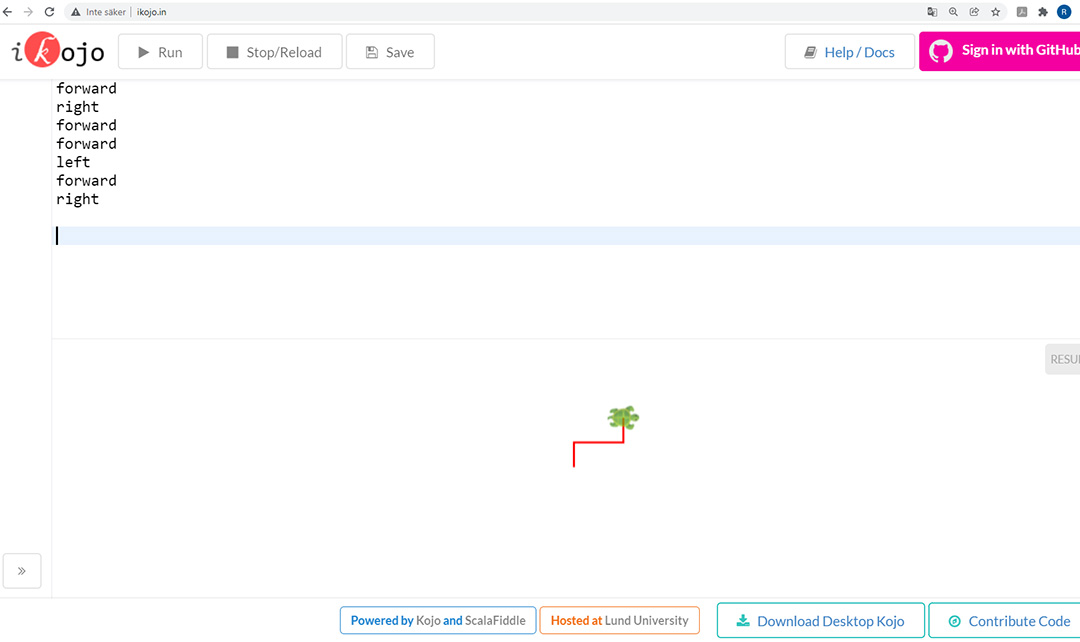
Show example (web version)
Show example (desktop version)
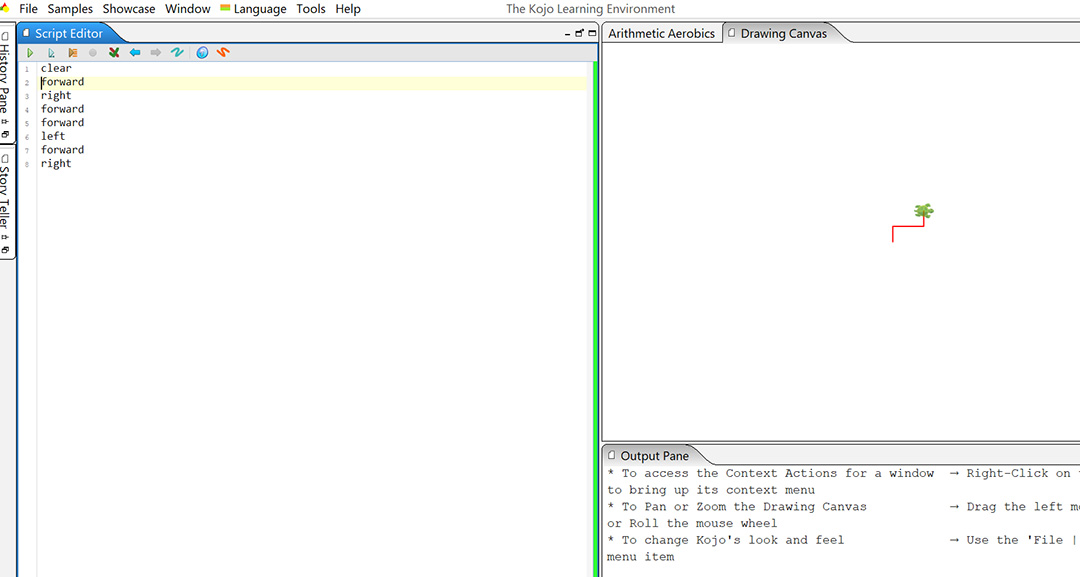
Students test for a while, make sure everyone has come to the right address (http://ikojo.in/), or has started the kojo desktop version on the computer.
Make sure that everyone knows how to write, knows how to do it.
Show what happens when you type incorrectly. Give some examples and tips about the error message in the kojo window.

2) Distribute workbooks with assignments
The students solve assignments themselves. Feel free to work 2-2 or in small groups where students help each other.
(challenges 1-4)
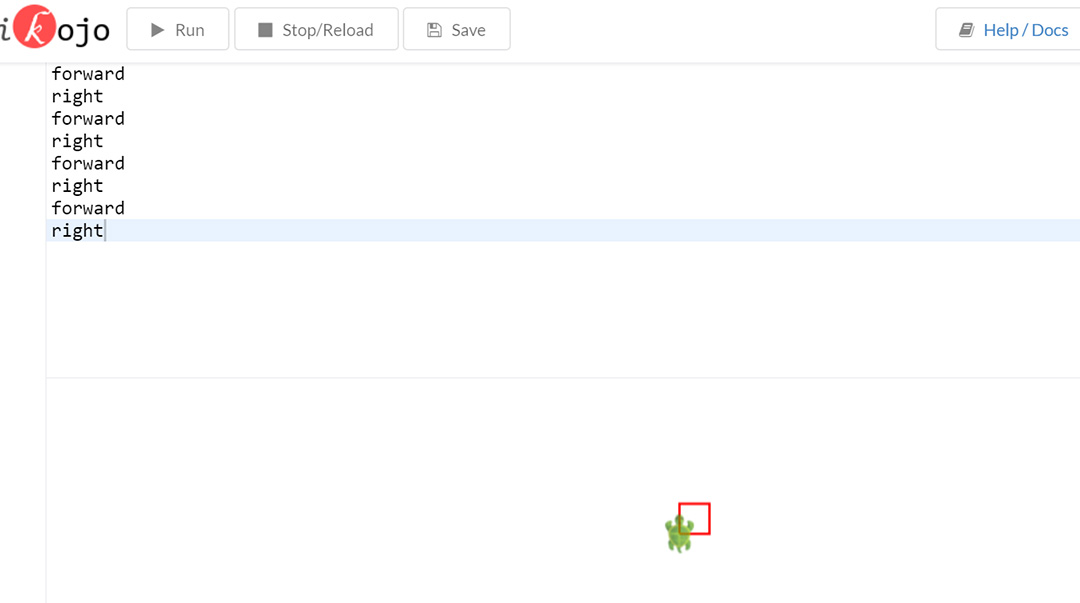
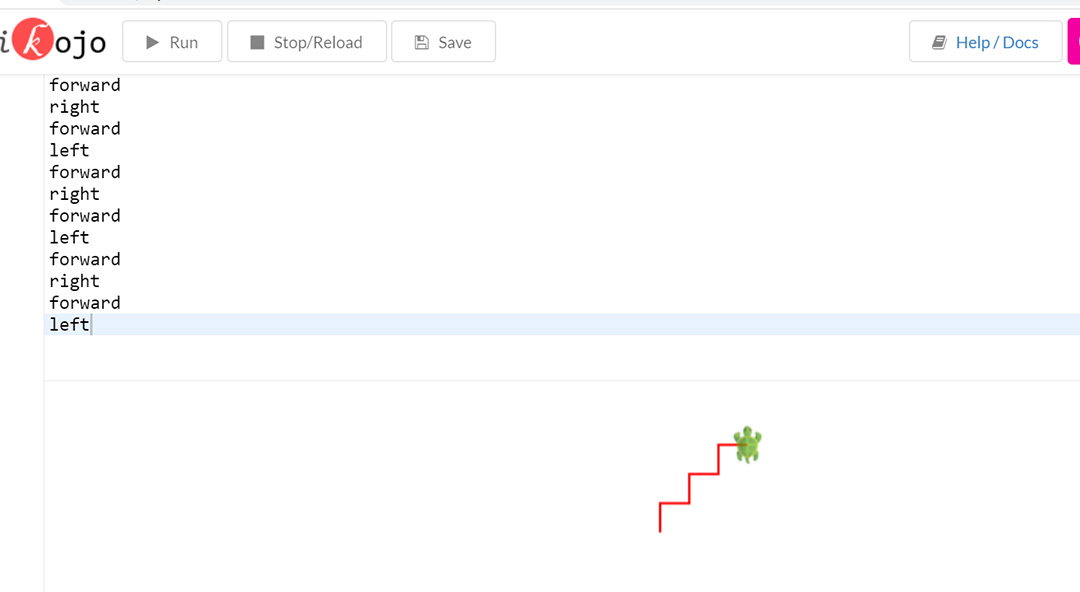
let the turtle draw
a) a square
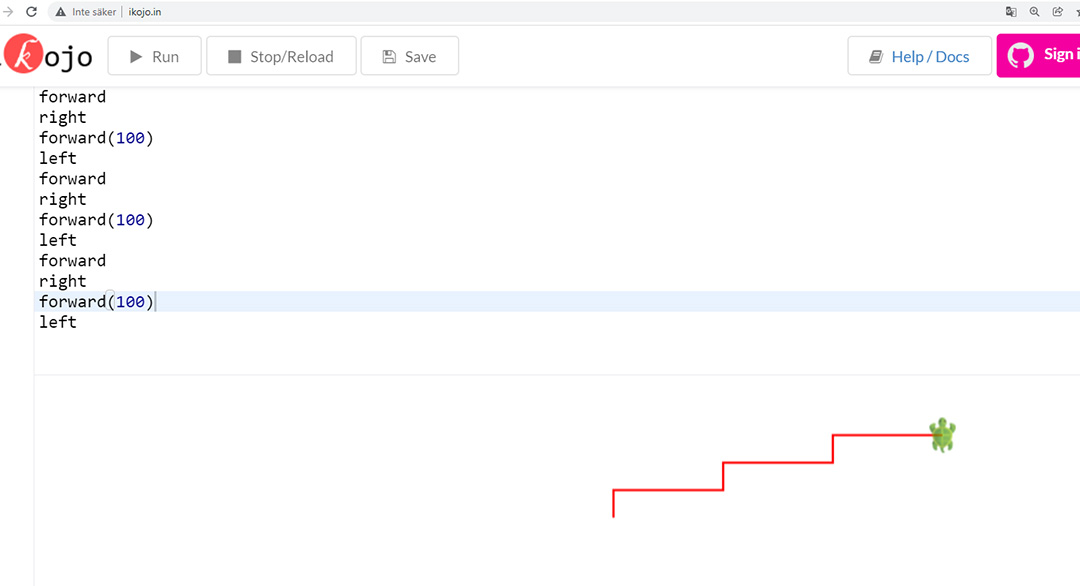
b) a staircase
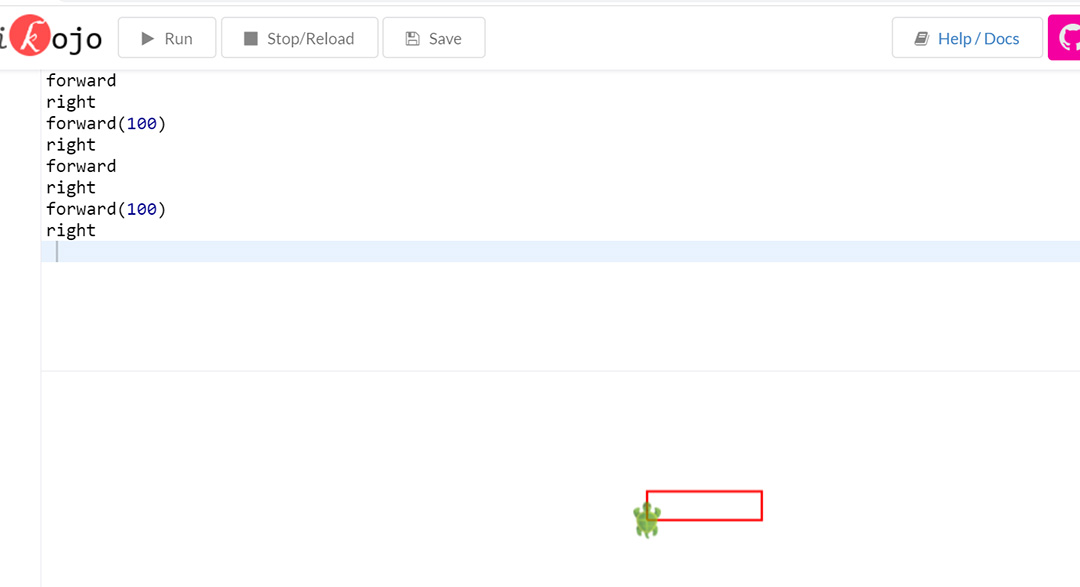
c) a right block
possible solutions (web version):
square:
Staircase:
Right block:
When writing forward, the toad goes 25 steps, if you want to go further, you can use for example forward (100) then the turtle goes 100 steps instead.
3) Continuation in the assignment booklet: We train on sequence and repetition in kojo: (challenges 5-8)
Same or similar exercises that were done during lessons 1 and 2 but now with kojo
If you use the desktop version:
For access to some special commands write the following code in line 1:
// #include /chess
If you use the web version: For using the backward command the students have to write
def backward() = forward(-25)
in line 1.
Control your turtle with the following sequence:
|
Sequence 1 |
Sequence 2 |
Sequence 3 |
Sequence 4 |
|
forward |
backward() |
|
|
simplify the code using the repeat command and test in kojo:
the film shows you how to use the repeat command in kojo:
Make a loop in kojo:
forward; right; right;forward;forward; left;forward; forward; forward; backward();backward(); right;forward;forward;forward; right;forward;forward;forward;forward;forward;forward; forward
enter your code directly in kojo: use repeat () { }
forward; repeat(2){right}; repeat(2){forward} …
Check the next film
Useful commands :
for some more commands / Having fun with the turtle:
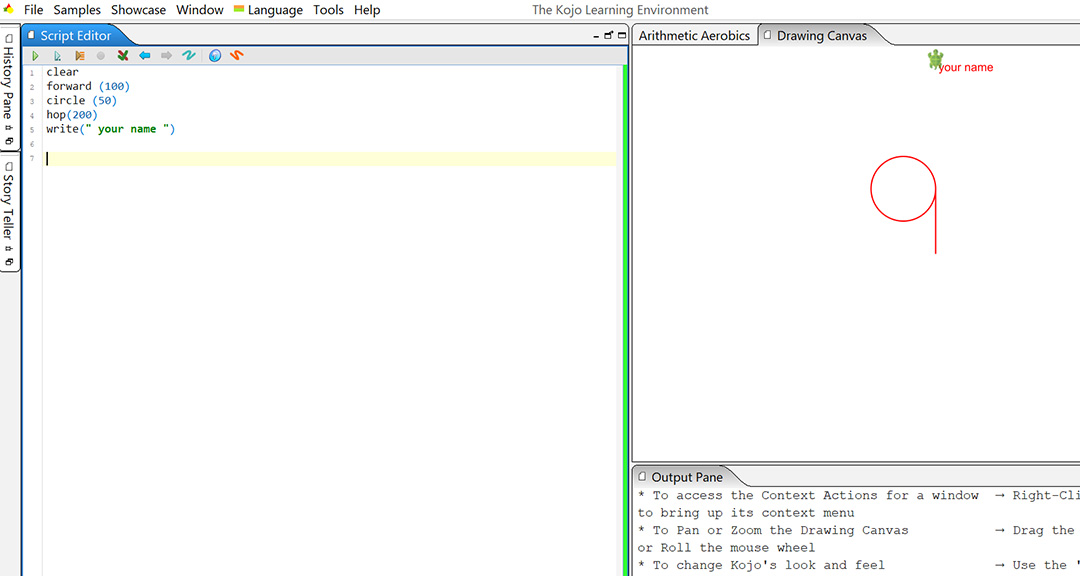
Test the following command:
forward (100)
circle (50)
hop(200)
write(" your name ")
Now draw a picture of your choice, maybe a car or a face, or something else.
Movie: jam sandwich
If there is time left do a similar one together with your students.
Rounding
When there are five minutes left in the lesson, tell the children to pack up and put everything in respective box. You gather at Samlingsplatsen and the teacher summarizes what the children have learned during the lesson.
5 min Rounding (Meeting place)- Repeat the concept of alternative and repetition
- Everyone does the sequence together:
stand - repeat (4) {jump; spin} - "Hello then" - jump - "thank you for today" - if (black shoes) wave otherwise {jump} - sit
- Hi then until next week.

