Abstraction in SAR A
Abstraction in SAR A
Preparations
Material
- Computers / Ipad with internet connection
- Assignment booklet
Lesson overview
5 min Introduction (Meeting place)
- Greet everyone.
- Tell us what will happen during today's lesson.
20 min kojo and chess
- We draw chessboards with coordinates - movement of the tower
- Movement of other pieces. The bishop, the lady and the king
10 min teacher-led
- What is abstraction? def square =
15 min with workbook 2-2
- Exercises in kojo def steps, stacking function, grid function
5 min Rounding (Meeting place)
- Repetition of all parts of SARA: sequence, alternative, repetition, and abstraction
- Hi then until next week.
Teaching
During this lesson we will use special commands for chess and they only work in the desktop version of kojo.
1) Repetition kojo
Distribute computers / Ipad and all students enter the kojo page
Joint / teacher-led
Make sure everyone can enter the code and the turtle draws. Briefly repeat the importance of spelling correctly, uppercase and lowercase letters, finding different parentheses (,), {and}
2) kojo and chess: continuation in the assignment booklet
Teacher-led: shows how to draw a chessboard in a hut with ready-made commands. You can choose to show the film:
For access to some special commands write the following code in line 1:
// #include /chess
with command
board()
draw the turtle on a chessboard and with
notation()
the coordinates
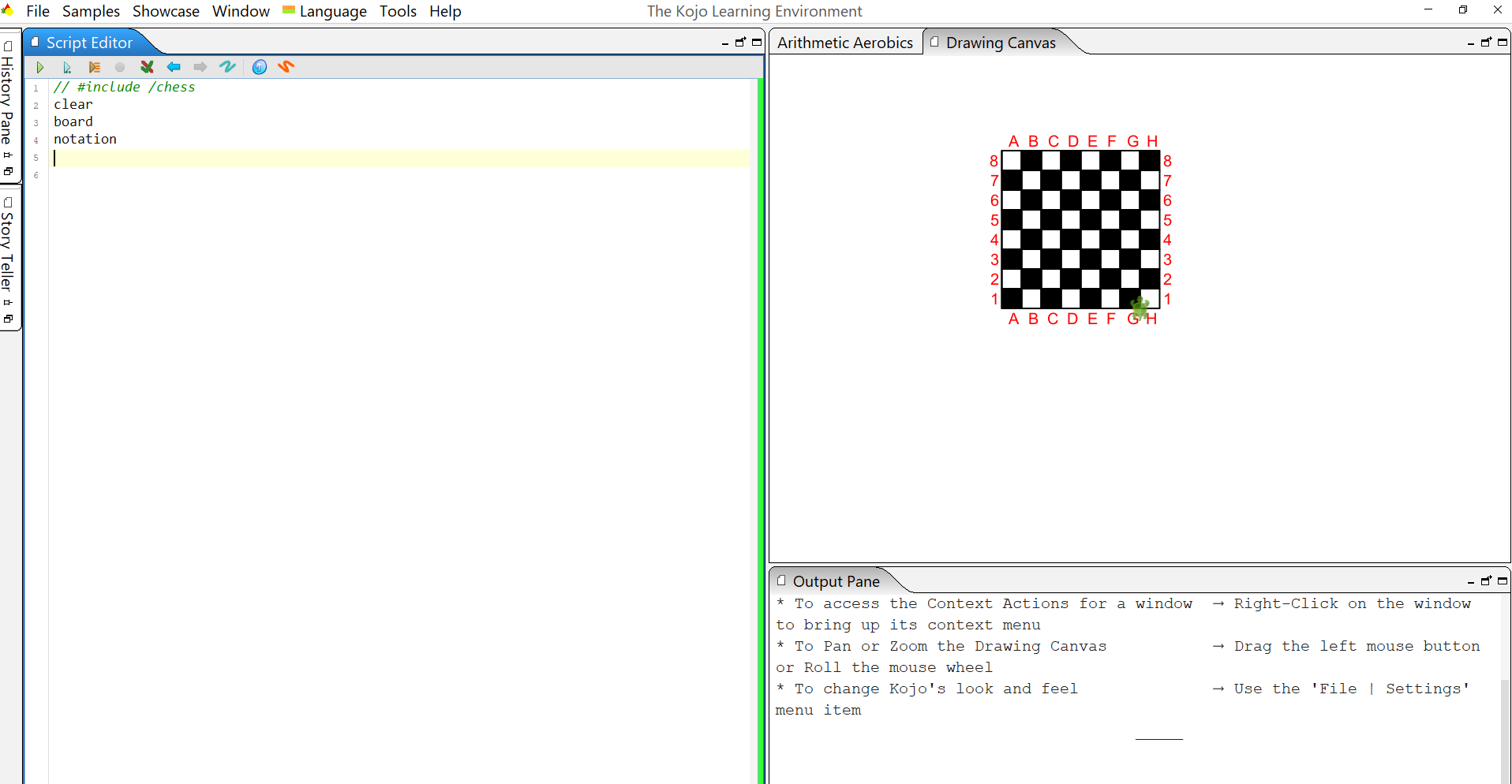
command startingPoint (D1)
gives us the starting point D1 for the turtle.
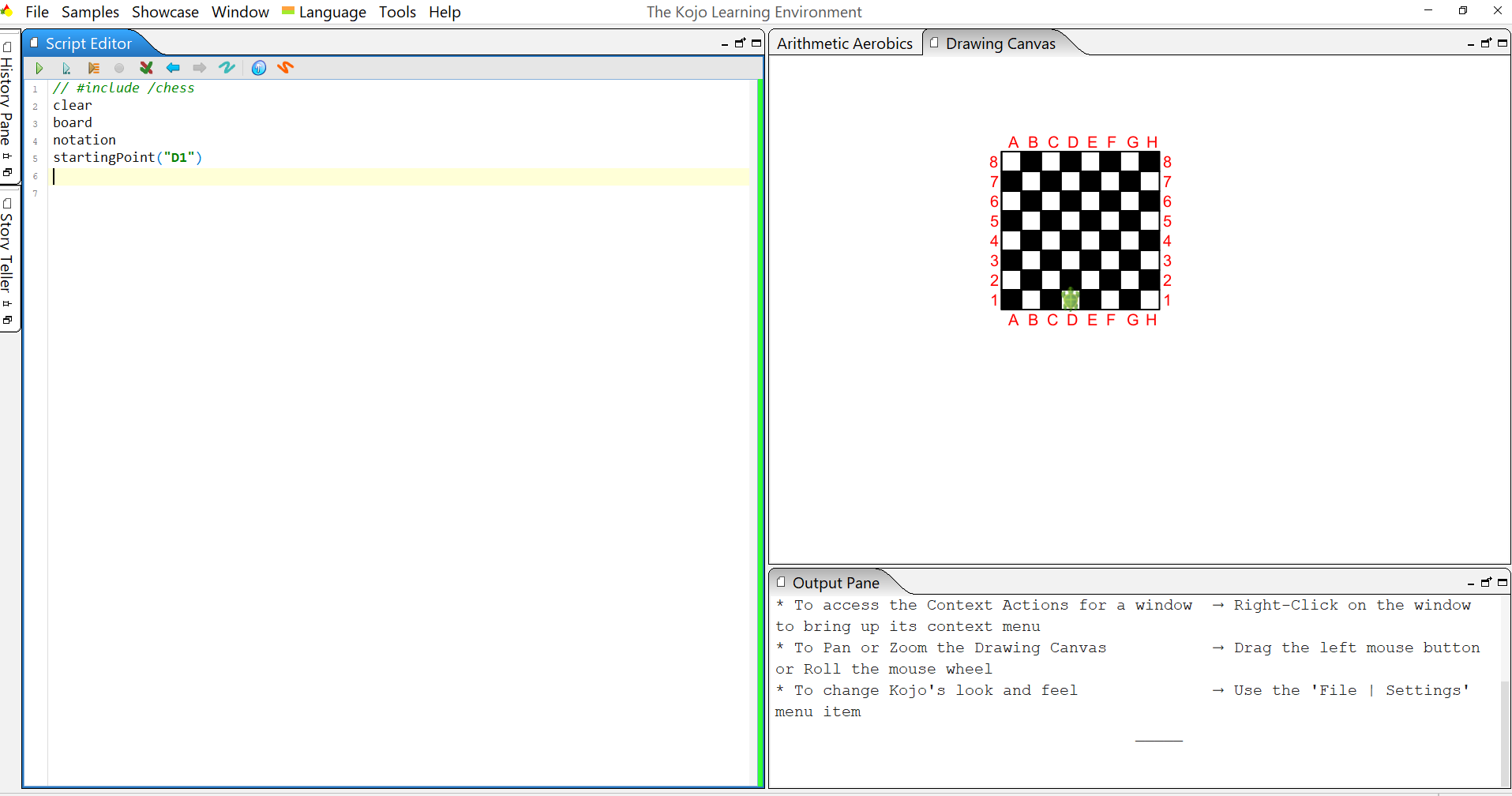
Together with the students, you come up with a code for the turtle that takes it from D1 to B7 Each student tests on their computer and the students test other / different ways.
Students should also use the repeat () { } command
command startingPoint (A1)
gives us the starting point A1 for the turtle.
Each student now writes a code for the turtle that takes it from A1 to F7 and tests different paths Also use the repeat () { } command
Each student tests.
3) ( optional ) Movement of other chess pieces:
Exercises in small groups (2-2) in the assignment booklet (challenge 9-13)
With the commands "diagonalForwardRight()", "diagonalForwardLeft()", "diagonalBackwardRight()", "diagonalBackwardLeft()"
We can control the runner.
Students test.
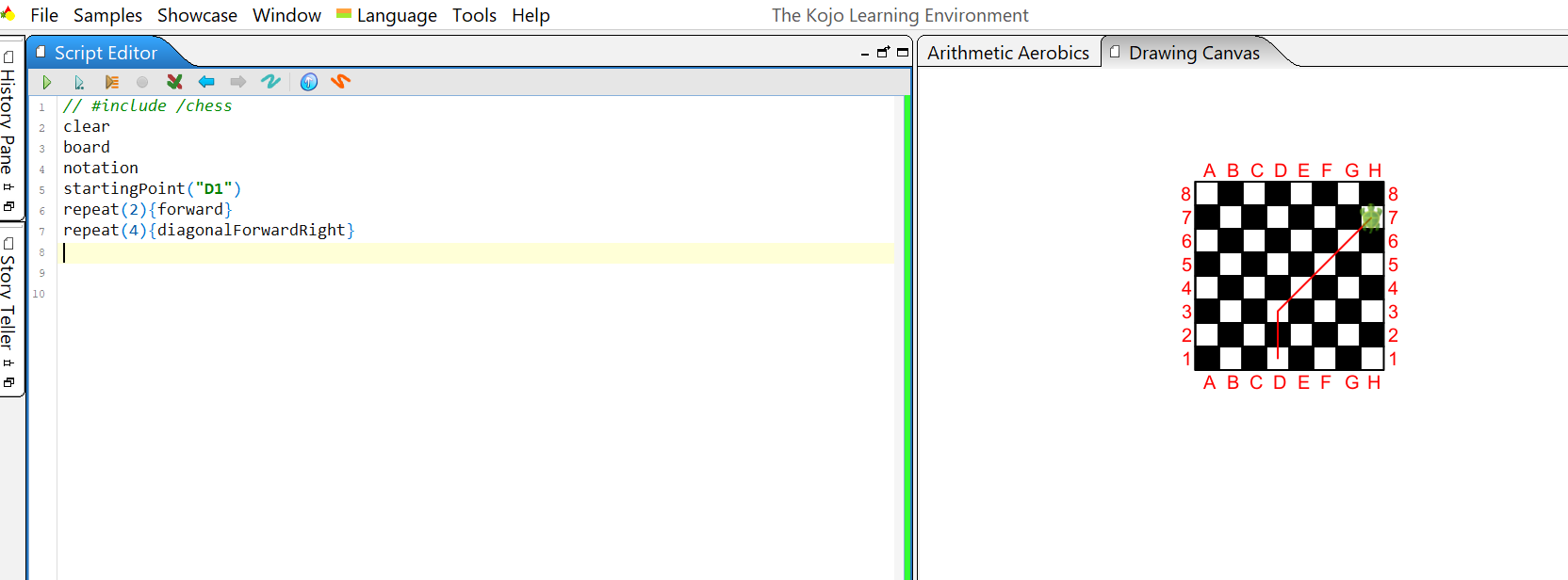
Now write a code for the turtle that takes the runner from D1 to H7
Also use the repeat (…) {…} command to simplify your code.
One possible solution:
What commands can you use for the lady? Write an optional code that takes the lady from C1 to G8
4) Teacher-led:
Introduction to the next section: projector / board
Show what the backward code looks like:
forward(-25)
enter in the kojo and show that the turtle does the same as the command backward
Do the same with another one: Show what the diagonalForwardRight() code looks like:
right (45); forward (35); left(45)
enter in the kojo and show that the turtle does the same as the command diagonalForwardRight()
Abstraction in SAR A
Teacher-led: what is an abstraction?
Have students test unplugged (show on the projector or tape on the board)
def greeting = {wave, repeat (3) {"hello"}}
stand
jump
greeting
spin
sit
When you have done the command sequence for a square repeat (4) {forward; left} and should use the same sequence many times, it is good to define:
def square = repeat (4) {forward; left}
show in kojo: (the square is drawn when you type the command "square")
def square = repeat (4) {forward; left}
square
Show the film “make a definition in kojo”
5) The students work 2-2 in the assignment booklet ( challenge 14 and 18) and/or together with teacher:
Can you make larger squares? Test
def Square200 = repeat (4) {forward (200); left}
When you are going to draw a staircase, it can be good with steps:
def step = {forward; right;forward; left }
The step command gives you a step.
What should you do to draw a staircase with 5 steps? Use repeat
def step = {forward; right;forward; left }
repeat (5) {step}
Now you can make stairs with different step lengths and heights (use for example forward(50) and forward(100))
optional: Try out even more challenges in the assignment booklet: challenge 19 - 22
6) Continuation in the assignment booklet ( challenge 15 and 16 ) or together led by a teacher
To make a chessboard, we need to draw a grid. The first step is to draw a pile.
We stack 8 squares:
Have students test how to stack first two squares then more and more.
When the code is ready, define
Stacking function
To make a grid, we need to let the toad draw 8 stacks next to each other. Have students test how to do it.
Once you have arrived at a code, you define the grid function.
7) Make sure that all students have developed a grid. Make sure students save their grid code for the next lesson.
optional: Try out even more challenges in the assignment booklet: challenge 19 - 22
Rounding
When there are five minutes left in the lesson, tell the children to pack up and put everything in respective box. You gather at Meeting place and the teacher summarizes what the children have learned during the lesson.
5 min Rounding (Meeting place)- Repeat all concepts in SARA
- Everyone does the sequence together:
stand - repeat (4) {jump; spin} - "Hello then" - jump - "thank you for today" - if (black shoes) wave otherwise {jump} - sit
- Hi then until next week.

